Photo-based maintenance diagnosis
Sentus Lens helps identify what kind of issue the team is probably looking at before the work order becomes another ambiguous ticket in a queue.
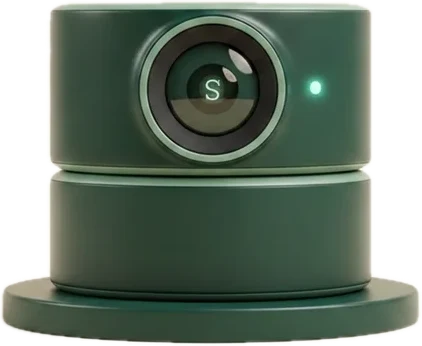
A resident reports an issue on a call with Sophia. She texts a secure link that opens the phone camera. Sentus Lens reads the photos — likely issue, severity, confidence — and the work order carries that evidence into dispatch.
A resident or vendor uploads a photo or short video.
Lens evaluates the likely issue and its urgency.
The system recommends the right next action and likely trade.
Ops and Vendor carry the work forward with that context attached.
The triage record lands on Sentus Thread for auditability.
It connects AI to one of the highest-friction workflows in property management: maintenance triage before the dispatch chain starts wasting time.
How Visual Triage runs: a resident calls, a text message delivers a secure camera link, the resident takes photos, the analysis scores the likely issue with a severity and confidence read, and the evidence lands on a structured work order.
Sentus Lens helps identify what kind of issue the team is probably looking at before the work order becomes another ambiguous ticket in a queue.
The point is not flashy AI. The point is better routing, better urgency handling, and fewer preventable handoff mistakes in the maintenance workflow.
Lens strengthens maintenance intake by attaching structured recommendations to the workflow instead of leaving teams to interpret every photo from scratch.
The resident can stay on the line while they snap, or hang up and call back — the context holds either way.
A maintenance ticket that says "leak in the kitchen" tells dispatch nothing. Lens turns the resident photo into a severity call, an urgency window, a trade category, and a confidence score — attached to the work order before anyone decides who to send.
Sophia sends a secure link that opens the phone camera directly. There is no app to install, no account to create, and no password for the resident to remember. The link expires rather than sitting in a text thread forever.
The message asks for three photos when the resident can manage it: one wide view, one close-up, and one showing context. That framing is what makes the difference between a usable diagnosis and an ambiguous close-up of a wet floor.
The same text tells the resident to call emergency services or the emergency maintenance line immediately if there is active flooding, a gas smell, smoke, or any immediate danger. Photo triage never sits in front of a real emergency.
Lens returns one of emergency, urgent, normal, low, or unknown. Emergency means an active hazard such as flooding, gas, fire, or exposed wiring. Urgent means significant damage risk within 24 hours. The rubric is fixed, so severity means the same thing on every ticket.
Alongside severity, Lens returns an urgency window: immediate, same day, within a week, or routine. That is the field a coordinator actually schedules from.
Lens classifies the issue as plumbing, electrical, HVAC, appliance, structural, pest, cosmetic, or other, plus a short specific sub-category. That is what decides which trade gets the job instead of which trade happens to be free.
Every classification carries a confidence value and can return unknown. Low confidence is visible to the team rather than hidden behind a decisive-looking label, so a human stays in the loop when the photo does not support a call.
The classification includes a plain-language summary of what the photo shows, so the coordinator, the technician, and the owner are all reading the same description of the problem.
The photos and the classification land on the work order itself, not in a separate photo tool. The technician opens the job and sees what the resident saw.
Severity and category feed the routing decision across internal maintenance staff, approved contractors, and marketplace vendors — so the first dispatch is informed rather than reactive.
Residents can attach photos from Sentus Home, and technicians and vendors can add photos from their own portals. Lens reads the same way regardless of which surface the photo came from.
The photo, the classification, and the resulting work order stay attached to the same company-scoped record — so repeat issues in the same unit are visible instead of being rediscovered every quarter.
How Visual Triage behaves in the parts of the workflow that usually break.
No. Sophia texts a secure link that opens the phone camera directly. There is no app to install and no account to create. The resident can snap the photos while still on the call, or hang up and send them after — the context holds either way. The link expires rather than staying live indefinitely.
For each photo, Lens returns a severity (emergency, urgent, normal, low, or unknown), an urgency window (immediate, same day, within a week, or routine), a trade category (plumbing, electrical, HVAC, appliance, structural, pest, cosmetic, or other), a short sub-category, a confidence value, and a one-sentence summary of the issue. Those fields attach to the work order.
Lens can return unknown severity and a low confidence value rather than forcing a decision. That is deliberate: an uncertain classification is surfaced to the team so a person makes the call, instead of a confident-looking label sending the wrong trade to the unit.
No. Sophia creates the work order from the call itself. Visual Triage adds evidence and a severity call on top of that work order — it is not a gate in front of reporting an issue.
Yes. Photos added from the Maintenance and Vendor portals are read the same way as resident photos, which is how second-visit scope changes and completion evidence stay on the same record instead of in a personal camera roll.
The photo request text tells the resident to call emergency services or the emergency maintenance line right away if there is active flooding, a gas smell, smoke, or immediate danger. The emergency severity class also exists specifically so active hazards route as hazards rather than as ordinary maintenance.
Sentus systems are designed to connect, not compete.